10 Free AI Tools to Automate 90% of Your Daily Workflow (2026 Edition)
Let’s cut right to the chase: you are probably spending too much time on repetitive tasks.
Even in 2026, with AI embedded in almost everything, many professionals are still manually answering routine emails, summarizing long meetings, and staring at blank pages trying to draft reports. If you haven't fully delegated these tasks to an AI personal assistant, you are leaving hours of free time on the table.
The good news? You don’t need a $100/month enterprise subscription to build a highly efficient, automated system.
After testing dozens of platforms, I’ve narrowed down the absolute best AI productivity tools in 2026 that offer robust, genuinely useful free tiers.
If you are looking for free AI tools for work that actually deliver, here is the definitive list.
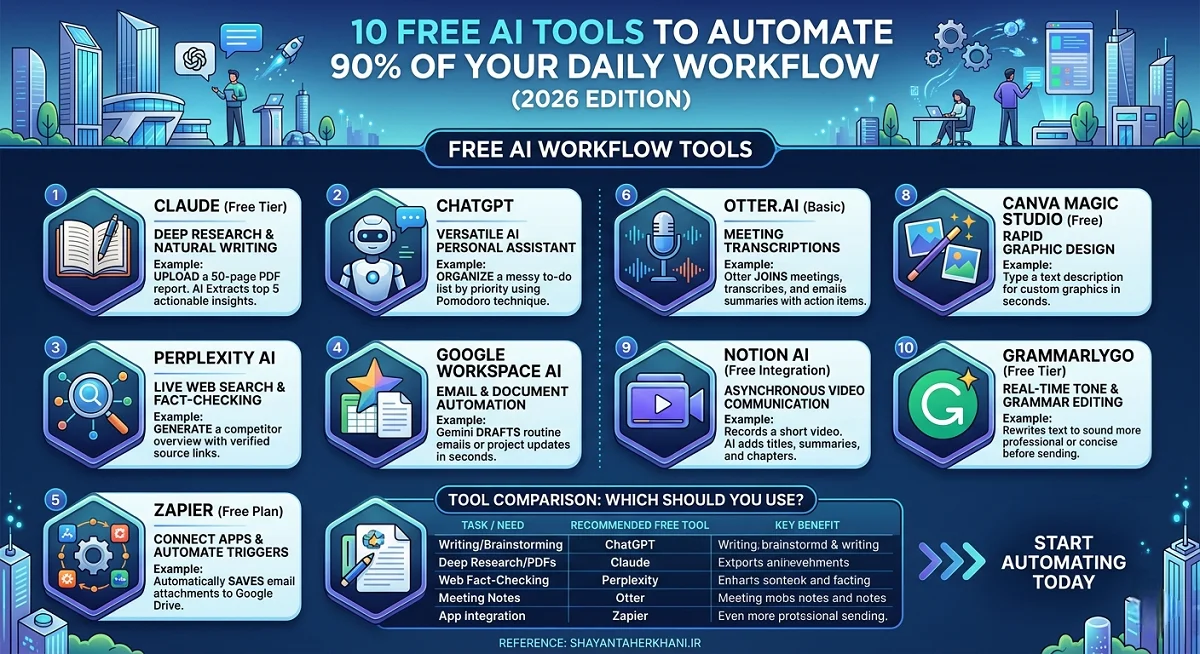
Quick Summary: Top 10 Free AI Workflow Tools
- Claude (Free Tier): Best for deep research and natural writing.
- ChatGPT: Best all-around AI personal assistant.
- Perplexity AI: Best for live web search and fact-checking.
- Google Workspace AI (Free Features): Best for email and document automation.
- Zapier (Free Plan): Best for connecting apps and automating triggers.
- Otter.ai (Basic): Best for meeting transcriptions.
- Notion AI (Free Integration): Best for project management and note organization.
- Canva Magic Studio (Free): Best for rapid graphic design.
- Loom AI (Basic): Best for asynchronous video communication.
- GrammarlyGO (Free Tier): Best for real-time tone and grammar editing.
How to Build an AI-Powered Workflow for Free
To automate your day, you shouldn't just use these tools in isolation. You need to stack them. Below is a breakdown of how each tool functions and exactly how to use it to eliminate your daily busywork.
1. Claude: Your Deep Research & Writing Partner
Developed by Anthropic, Claude has emerged as the most natural-sounding AI writer on the market. Its free tier offers a massive context window, meaning you can upload a 50-page PDF and ask it to analyze the data.
How to automate your workflow: Stop reading lengthy industry reports manually. Upload the PDF to Claude and use the prompt: "Extract the top 5 actionable insights from this report that impact a mid-level marketing strategy."
2. ChatGPT: The Ultimate AI Personal Assistant
OpenAI’s ChatGPT remains the gold standard for daily task management. With its free tier now offering advanced reasoning capabilities, it acts as a versatile AI personal assistant that can handle everything from brainstorming to basic coding.
How to automate your workflow: Use ChatGPT to structure your day. Paste your messy to-do list into the chat and ask it to organize the tasks by priority, estimating the time required for each using the Pomodoro technique.
3. Perplexity AI: The Research Engine
Traditional search engines can slow you down when you need a quick, verified fact. Perplexity AI combines the power of large language models with real-time web search, providing answers with direct citations.
How to automate your workflow: Instead of opening five different tabs to research a competitor, ask Perplexity to generate a comprehensive overview of their recent product launches, complete with source links.
4. Google Workspace AI (Gemini Integration)
Google has deeply integrated Gemini into Docs, Sheets, and Gmail. Even on standard free Google accounts, features like "Help me write" can shave hours off your week.
How to automate your workflow: Let Gemini draft your routine emails. If a client asks for a project update, simply type "summarize last week's project milestones" into the prompt box, and let it format a professional update in seconds.
5. Zapier: The Workflow Glue
Zapier is the engine that makes your apps talk to each other. While the premium plans are powerful, the free tier allows you to create basic automations (Zaps) that run in the background.
How to automate your workflow: Set up a free Zap that automatically saves any email attachments you receive directly to a specific Google Drive folder, instantly eliminating manual file management.
6. Otter.ai: The Meeting Killer
If you are still taking manual notes during Zoom calls, you are wasting energy. Otter.ai joins your meetings, transcribes the conversation in real-time, and generates a summary with action items.
How to automate your workflow: Connect Otter to your calendar. Let it auto-join meetings and automatically email the summarized action items to your team the moment the call ends.
7. Notion AI: The Second Brain
Notion has evolved from a simple note-taking app into a powerful workspace. Its free AI features help you organize chaotic brain dumps into structured project plans.
How to automate your workflow: Dump your raw meeting notes into a Notion page. Use the "Summarize" or "Extract Action Items" AI block to instantly convert the mess into a trackable to-do list.
8. Canva Magic Studio: The Instant Designer
You don't need a design degree to create professional presentations anymore. Canva's free AI tools allow you to generate images, remove backgrounds, and format slides with a single click.
How to automate your workflow: Need a featured image for a blog post or a quick chart for a presentation? Type a text description into Canva’s Magic Media tool and get custom graphics in under 10 seconds.
9. Loom AI: Asynchronous Communication
In 2026, "this meeting could have been an email" has evolved into "this meeting should have been a Loom." Loom lets you record your screen and camera, while its free AI features generate video summaries and transcripts.
How to automate your workflow: Instead of scheduling a 30-minute meeting to explain a new software tool to a coworker, record a 3-minute Loom. The AI will automatically title it, summarize the steps, and chapter the video for easy viewing.
10. GrammarlyGO: The Polish
Grammarly does more than fix typos. GrammarlyGO acts as an on-the-fly editor that adjusts your tone, rewrites clunky sentences, and ensures your communication is consistently professional.
How to automate your workflow: Draft your emails quickly without worrying about tone. Highlight the text and use Grammarly’s "Make it sound more professional" or "Shorten it" features before hitting send.
Tool Comparison: Which Should You Use?
Here is a quick breakdown to help you choose the right free AI tools for your specific daily tasks:
| Task / Need | Recommended Free Tool | Key Benefit |
|---|---|---|
| Writing & Brainstorming | ChatGPT | Most versatile all-rounder. |
| Deep Research & PDFs | Claude | Largest context window for free. |
| Live Web Fact-Checking | Perplexity AI | Provides real-time citations. |
| Meeting Notes | Otter.ai | Hands-free transcription. |
| App Integration | Zapier | Automates tasks across platforms. |
Frequently Asked Questions (FAQs)
Are free AI tools actually safe for work data?
It depends on the tool and your company's policies. Always avoid inputting highly sensitive, confidential, or proprietary data into free, public AI models like the standard tiers of ChatGPT or Claude, as your data may be used to train future models.
What is the best AI personal assistant for daily scheduling?
For scheduling and task management, combining ChatGPT with Zapier is highly effective. You can use ChatGPT to prioritize tasks and Zapier to automatically route calendar events to your to-do list apps.
Is ChatGPT still the best free AI tool in 2026?
While ChatGPT remains an incredibly powerful and versatile AI personal assistant, tools like Claude are often preferred for long-form writing and document analysis, while Perplexity is better for live web research. The "best" tool depends entirely on your specific workflow.
Can I automate my email inbox for free?
Yes. You can use Google Workspace’s built-in AI (Gemini) to draft responses, or set up a free Zapier integration that automatically categorizes incoming emails based on the sender or subject line.
Do I need coding skills to use AI workflow automations?
Not at all. The best AI productivity tools in 2026 are built entirely on "no-code" interfaces. If you can type a sentence in plain English, you can build an AI workflow.
Conclusion: Start Automating Today
The secret to mastering AI isn't finding one magic tool that does everything. It is about layering the best AI productivity tools to handle the specific bottlenecks in your daily routine.
Start small: pick one repetitive task you hate doing—whether that’s summarizing meetings with Otter.ai or drafting emails with Google's Gemini—and hand it over to an AI personal assistant this week. Once you see how much time you save, automating the rest of your workflow will become second nature.
Ready to take your productivity to the next level? Subscribe to our newsletter for weekly teardowns on how to build advanced, no-code AI workflows.